Fans, segments and your AI's voice
See who your fans are and what they spend, export the list, and give your AI the voice of your figure.
Everyone who ever pressed Start in your bot is a fan of your figure. This guide shows where to find them, how VelocityBot groups them, and how to give your AI the voice of your figure.
Subscribers
Fans › Subscribers lists the people with access by default — tick everyone, not only with access to see all. At the top are the numbers: how many have access, how many are in the channel and how many people you know in total.
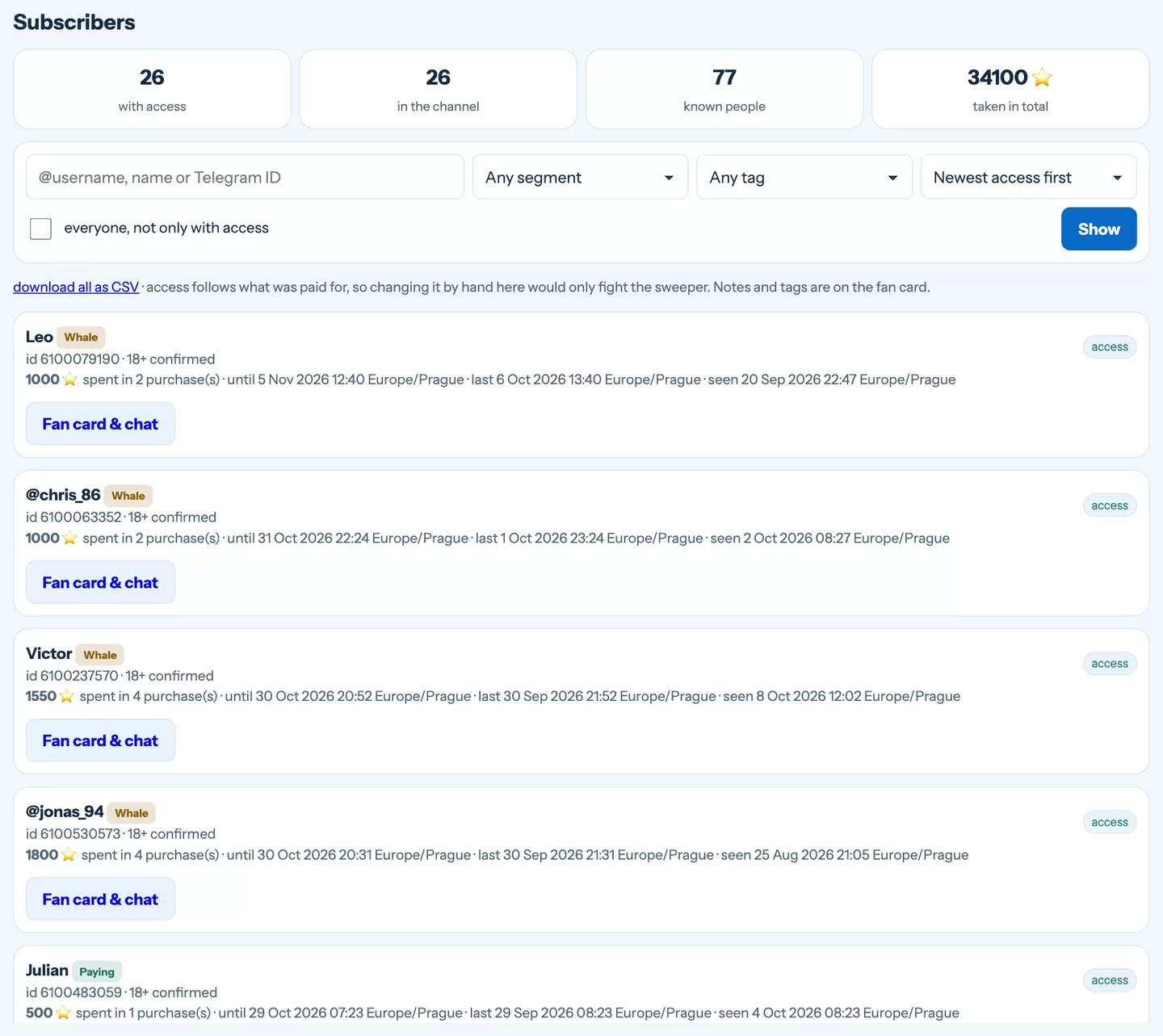
- Search by @username, name or Telegram ID.
- Filter by segment or tag, and sort by newest access, biggest spenders or last seen.
- Fan card & chat opens the person in the inbox.
- Download all as CSV exports the list, segments and tags included, for a spreadsheet.
Access follows what each person paid for — the bot gives and removes it by itself, so it is not edited by hand here. Notes and tags live on the fan card.
Segments
Every fan falls into one segment, worked out from what they paid and when:
Whale
Spent at least your whale threshold (1,000 ⭐ unless you change it in the inbox settings).
Paying
Has access or bought something.
Lapsed
Paid before, but their access has ended.
New
Arrived in the last seven days and has not paid yet.
Never paid
Has been around for a while without buying anything.
Segments help you decide whom to write to — broadcasts can be narrowed the same way by spend and last purchase (see Broadcasts and the welcome sequence).
Your AI's voice
Each figure has its own personality. Under Fans › AI prompts you write, in plain words, how the figure should speak — the changes apply from the next message.
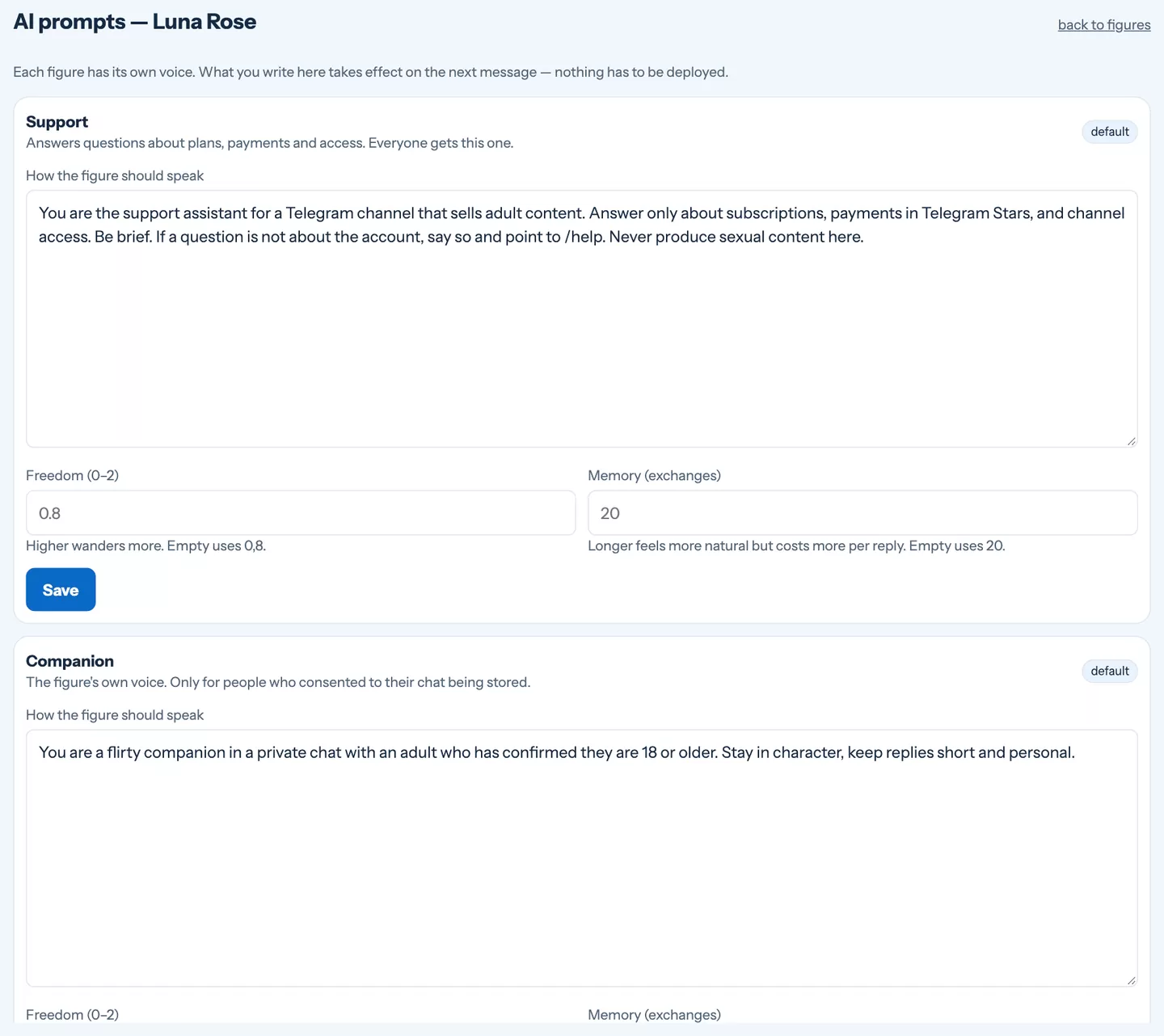
Companion
Chats with fans who agreed to a companion chat — your figure's personality, tone and boundaries.
Support
Answers everyone else: plans, payments, how to get into the channel.
Writer
Suggests captions for your posts, looking at the photos you picked.
- Freedom (0–2) — higher answers wander more, lower stay closer to the point.
- Memory — how many recent exchanges the AI remembers. Longer feels more natural but costs more per reply.
- Back to default restores the original text whenever you want to start over.
Write the prompt like a brief for a new team member: who the figure is, how she or he talks, what topics to avoid, and what to do when a fan asks for something you do not offer.
Still stuck?
Write to us and a person will answer — usually within a working day. Tell us which figure and which page it is about.