X, Bluesky and Instagram
Connect your accounts and send each post to the networks too — with its own text, the right length and tracked links.
Your public posts can go out to X, Bluesky and Instagram at the same time as to your free Telegram channel — photos, a video or just words, with a link back to your bot. You write the post once; VelocityBot adapts it for each network.
Paid content never leaves Telegram. A paid post goes to the networks only as its free teaser. Without a teaser it is not promoted at all — the post card tells you so.
Connect your accounts
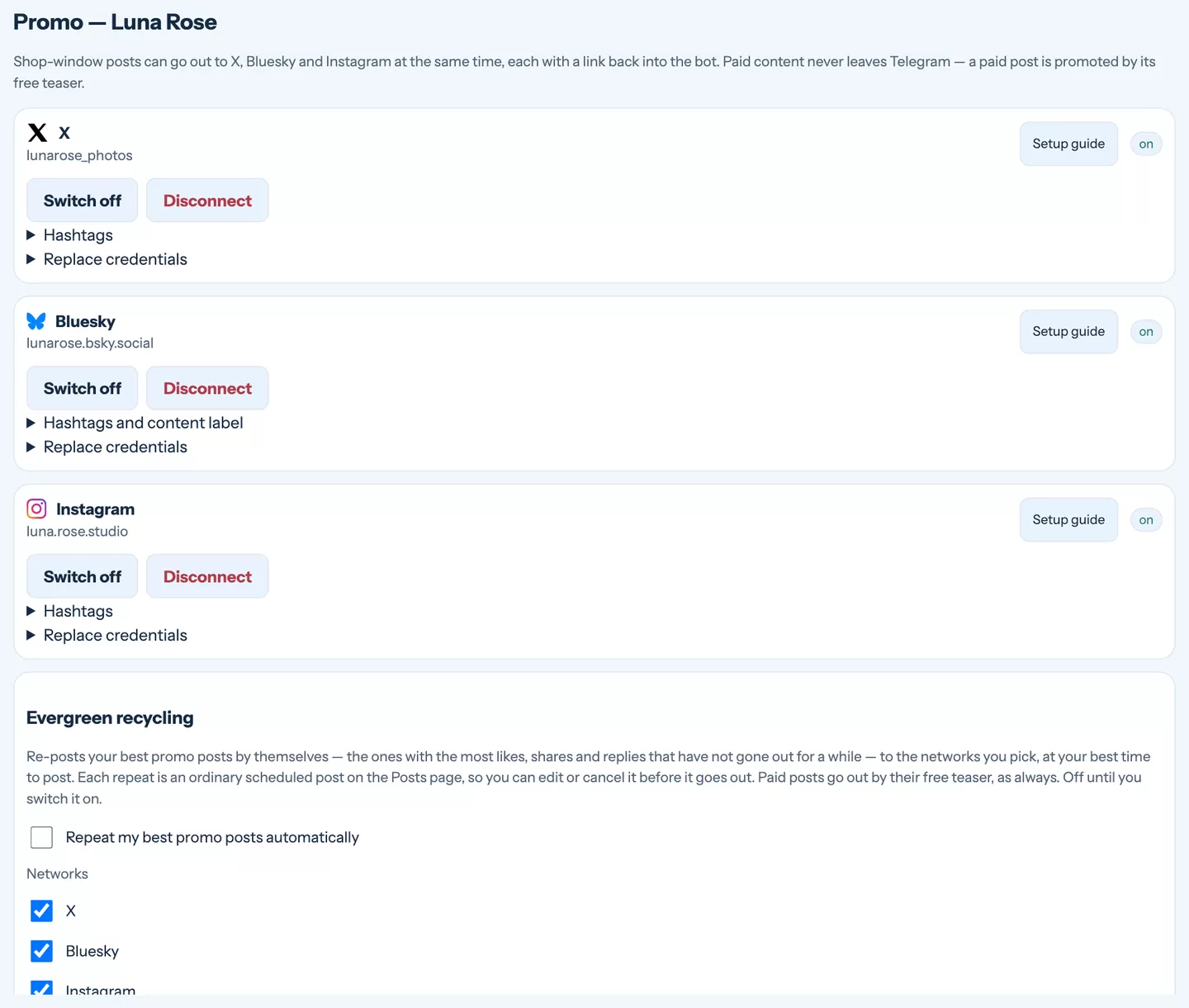
Open Content › Promo accounts. Each network has its own box and a Setup guide button with a step-by-step guide that matches what you will see on the network's site.
X
Four keys from the X developer portal. The app there must have read and write access — if you change it later, generate the tokens again.
Bluesky
Your handle and an app password (Settings → Privacy and security → App passwords) — never your real password.
A professional (Business or Creator) account and a small app on Meta's developer site. The guide walks you through it; afterwards you connect with one button and the access renews by itself.
VelocityBot signs in with the details before saving them, so you know straight away whether they work. They are stored encrypted and never shown again — to change them, enter them anew.
For each account you can also set hashtags added to every post (only those the post does not already contain; on Bluesky they are clickable) and, on Bluesky, the content label the network asks for with adult content.
Send a post to the networks
In the post editor, under Also post to, tick the networks.
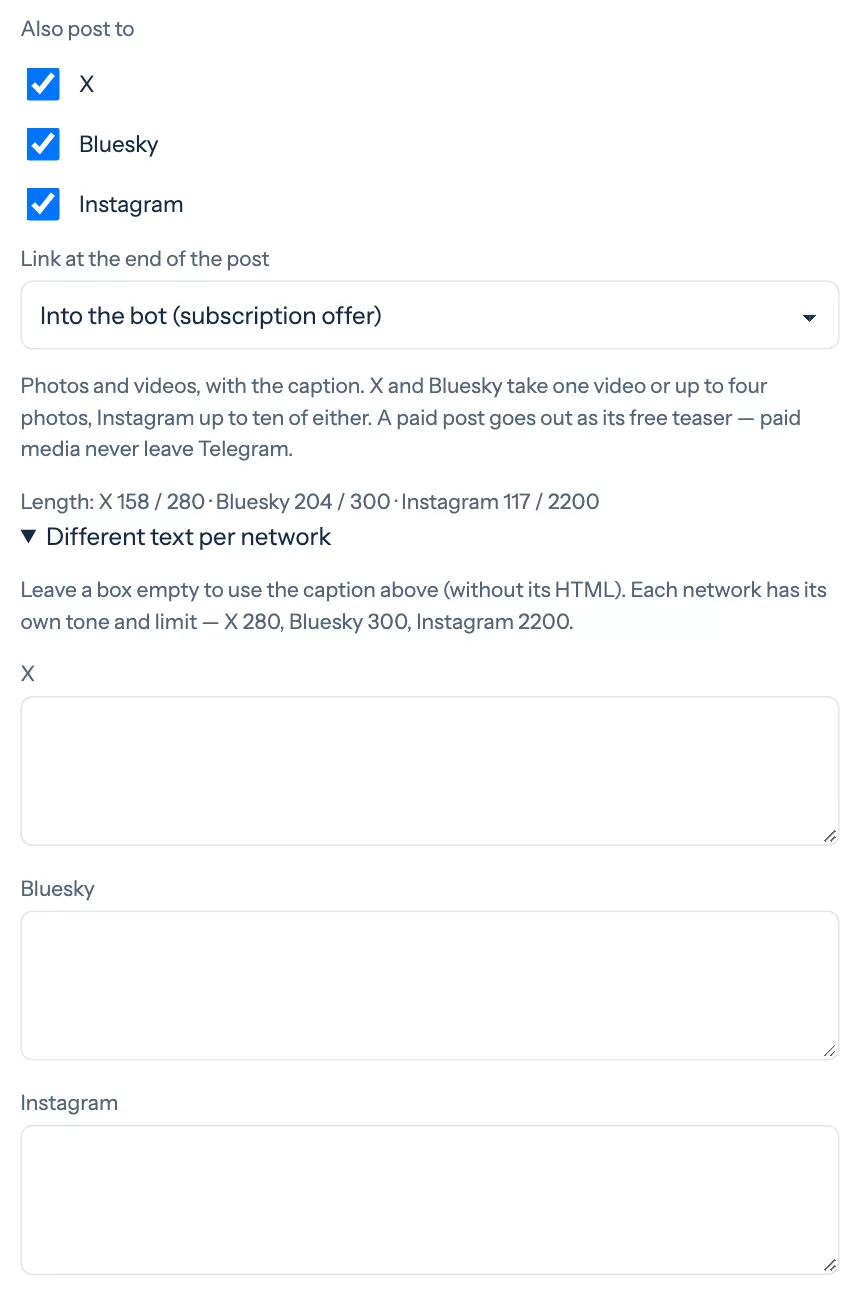
- Link at the end of the post — into your bot (straight to your plans), to your free Telegram channel, or none. The link is tracked, so Insights shows which network and which post brought people in. Instagram does not allow clickable links in posts, so it gets none.
- Different text per network — leave a box empty to use your caption (without its formatting), or write a text in the tone of that network.
- Media — X and Bluesky take one video or up to four photos, Instagram up to ten.
A comment under the post
On X and Bluesky you can add a comment under the post — your own reply that goes out right after the post. In the editor it is a separate section that shows up when X or Bluesky is ticked; the post itself stays exactly as you wrote it.
- A good place for the link to your Telegram channel: the buttons under the box add a link to the free channel or the paid channel (that one leads to your bot with your plans, because a paid channel has no public invitation). The link is tracked just like the one in the post.
- Each network has its own box; Same as X copies the X comment to Bluesky. Leave a box empty for no comment there.
- The preview shows the comment under the post, and the post card shows how it went with a 💬 label. If only the comment fails, Retry the comment sends just the comment again — never the post.
The right length, automatically
Every network has its own limit: X 280 characters, Bluesky 300, Instagram 2,200 — hashtags and the link included. The line under the networks counts for you as you type.
When your text runs over for a ticked network, the editor plays a short chime, lets the AI shorten it for that network and scrolls to the result. The shortened text keeps your language, your tone and your links to the channels.
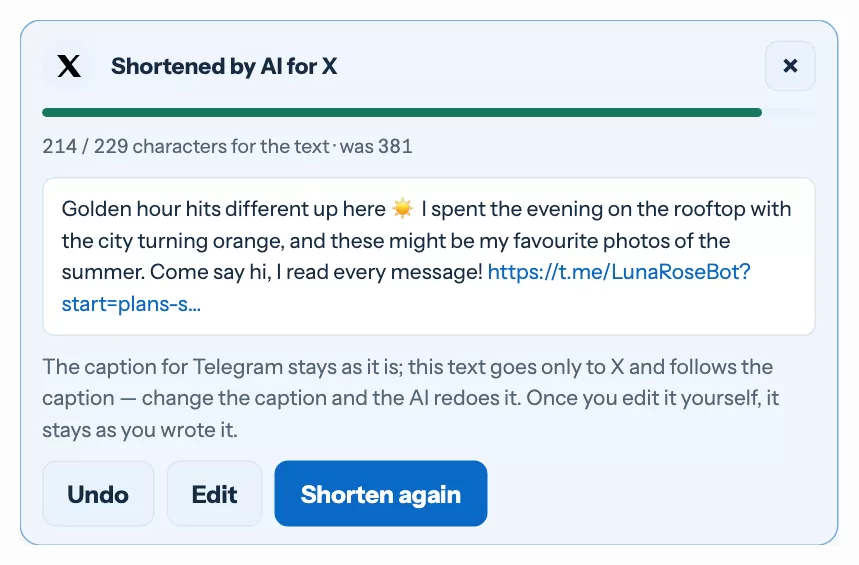
- Undo returns the original text, Edit opens it for your own changes, Shorten again asks for another version.
- Networks where the text already fits get a green card saying so, with Rewrite with AI if you would like a fresh version anyway.
- The AI text follows your caption: change the caption and it is redone. Once you edit the network text yourself, it stays exactly as you wrote it.
- Your Telegram caption is never changed.
If you ignore the warning, nothing breaks: a text that is too long is cut with “…” when it goes out, and a link is never cut in half.
Results and repeating what works
After publishing, the post card shows the likes, reposts and replies each network reports. Two ways to give a good post a second life:
- Promote again (under ⋯ on a published post, and in Insights under Worth repeating) creates a draft for the networks only.
- Evergreen recycling (on the Promo accounts page, off by default) repeats your best promo posts by itself — at most as often as you allow, never the same post too soon, at your best times.
Still stuck?
Write to us and a person will answer — usually within a working day. Tell us which figure and which page it is about.